Save and Restore Dial-Up Connections

Locate the Rasphone.pbk file in the %SystemDrive%\Documents and Settings\All Users\Application Data\Microsoft\Network\Connections\Pbk folder.

Note The Application Data folder is a hidden folder. To view the folder, follow these steps:
Open the All Users folder, and then click Folder Options on the Tools menu.
Click View, click Show hidden files and folders, and then click OK.
After you have created all your connections, copy the Rasphone.pbk to a safe location, and then copy the Rasphone.pbk file to the %SystemDrive%\Documents and Settings\All Users\Application Data\Microsoft\Network\Connections\Pbk folder on the other computer.

Note When you replace the Rasphone.pbk file, you are prompted to confirm the file replacement. Click Yes to replace the file.
Restart the computer to view the connections.
You cannot use this procedure to copy Connection Manager profiles. These profiles have their own .pbk, .cms, and .cmp configuration files.
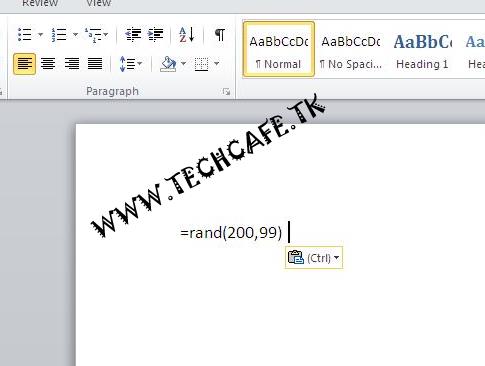
Ms word trick


Open MicroSoft word Type =rand(200,99)

Press Enter

Remove recycle bin from desktop


start»Run»type regedit
now goto HKEY_LOCAL_MACHIN»Software»Microsoft»Windows»CurruntVersion»Explorer»Desktop»NameSpace
you must see the key {645ff-040-5081-101B-9f08-00AA002F954E}

deleting this key will remove recyle bin from your desktop

make sure to export it before deleting

Do you know?

Facebook is also accessible on www.fb.com

Are U Facing 6GB RAM Problem in Ur Windows 7 Bit32?

Fix it:
>Restart PC
>Press F2
>Now Enable Memory Remapping
(bios)

WINDOWs shortcuts

Alt+Tab=switch between apps
Win+E=Win explorer
Win+D=Minimize all open windows
Win+F=Win search tool.